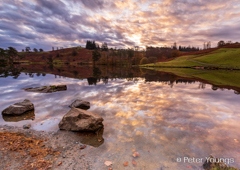
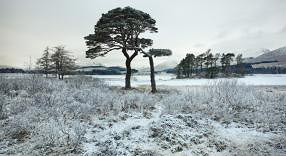
Gordon Harrison, West Highlands of Scotland Landscape photographer,
Colour Lab Frontier printer Profiling.
Just to let you know the first production print run has just been completed
on the Frontier 355 for 1000 prints. They were absolutely perfect, matching
the converted images as displayed on the monitor.
Many thanks again for your help, great work.
Douglas Burns, Graphic Designer of Burnt Offerings Graphic Services - and returned photography degree student
writes of the prints for his very successful degree show:
For the prints for my final show exhibition in London I tried a number
of print providers but none of them could reproduce the colours that I
desired.
The prints were flat and lacked the vibrancy and punch that I
hoped for. ,they were not even close in colour balance to the
Calibrated + Profiled on-screen image.
Thankfully Neil came to the rescue by producing a profile for my Epson
R2400.
After profiling my screen with the EyeOne Display 2 and
basICColor Display software outfit, Š also supplied by NeilŠI was
confident that what I could see on my Mac's screen could be reproduced
in print from my inkjet.
For what is in reality little money, Neil can
save you hours of frustration and a fortune in ink and paper. Trust me,
without a decent profile for both the Monitor Display System and the
printer/paper, you are wasting a huge amount of potential from your
printed images
Neil,
After a few days of working with the profile you made us I can truly
say it is wonderful piece of software. It seems to give a very agreeable
rendition of what you see on the screen.
In real terms this means I get
an extra half hour in bed because I know how the prints are going to
look.
Tariq Dajani writes on Pro Imaging, about our services:
Neil Barstow in the uk and has to be regarded by anybody's measure as one of the best people globally to advise on colour management issues. i had some profiles done by him years ago and he's helped with other things along the way.
- and -
Neil Barstow has to be regarded by anybody's measure as one of the best
people globally to advise on colour management issues. I had some
profiles done by him years ago and he's helped with other things along
the way.
A list member asks on the Pro Imaging discussion group:
"can anyone recommend someone to profile my printer in the UK"
Neil Barstow [colourmanagement.net], no question. If you do it remotely, it'll cost you under £100 for a profile, but it will be money well-spent imo.
And save some money and get yourself a copy of Colorburst to print through.
It is a brilliant way of controlling and producing perfect (near as dammit)
prints.
Neil,
Had been meaning to write you in a while now to say thanks for the help and advice you provided. Although the ColorBurst RIP represents a fair investment for a small company or individual such as myself, if you want or need full control over your printing then it's worth every penny.
I have not used my X-Rite DTP20UV since this purchase as the supplied profiles are extremely good. Once I had printed a couple of prints with the ColorBurst RIP there was no going back to printing from PhotoShop using Epsons printer driver software..
Also I must say that BasICColorDisplay software, another product you suggested and supplied is first rate. It allowed me for the first time ever to calibrate a WinXP dual monitor set-up. It was brilliant to see both monitors looking identical AND accurate..
Many Thanks
Steve Hale 07
Paul Carter, Photographer, writes:
Thank you, Neil, for your good service and excellent support.
The new Apple 23in and the very old Mitsubishi CRT
look remarkably similar now.
Cheers
I've been a professional photographer all my life, approaching learning digital by studying imaging science at university. Neil became a generous source of help and contacts for my dissertation. He set up the colour management for my new business, also supplying my X-Rite spectro and software, Epson Ultrachrome printer and ColorBurst RIP.
His depth of expertise and unbiased advice continue to be invaluable five years on. At Cumbria Picture Library customers comment on the print quality, and I can quickly replace limited edition prints without having to do test strips.
I know my competitors in the area struggle with colour management. People tell me their system is fine until I look at things with them, then they begin to see differences in their monitors and prints they had somehow not seen before.
Please click here to view a pdf from Print Media Management magazine, about our end to end Colour Management work on Christie's brochure production (from Drum Scan or Digital capture through Colour Processing and Pre-Press onto the Presses) at Christies International media Division.
Photographer Jonathan Pollock:
Training and installation of ColorBurst RIP
If you think that you know all about colour then think again. Neil and his software will firmly correct your position, all be it with a learning curve, but the results will speak for themselves"
Jack Lowe Digital Services,
Display Calibration Software
Jack Lowe writes about using basICColor Display v4 software with the Eizo ColorEdge Display:
Dear Neil,
Thank you very much for my v4 upgrade seats, a real improvement beyond v3 and even the v4 beta versions. Four monitors have been calibrated and profiled - three Apple 17in LCDs and one Eizo CG210 - and we are back into the very happy situation of four well-matched, accurate monitors with basICColor's characteristic, print-like appearance.
With regard to the Eizo CG210 I was skeptical that basICColor's new support for this display would be an improvement even over Eizo's own ColorNavigator (despite being a long-term basICColor user) but, once again, you were right and the recommendation sound.
Bryce Bennett, Photographic Editor Tearfund.
Training, Scanner and Display Profiling.
writes about on-site Training on System / Workflow set–up and multiple Scanner Profiling
Thanks for a highly rewarding day.
Not only did we get the profiling of the Nikon scanner taken care of, but I feel that I have had a number of major holes filled in in my knowledge of colour management.
And better yet, my curiosity about the subject has been put in high gear again!
I will be inviting you to Tearfund for a 1-2 hour meeting with 3 key people in the Creative Services team (Tearfund's in-house ad agency: Production Manager, Design Manger, and the Photographic Editor (that's my official title). We would like to hear your advice about what is involved in 100% colour managing our print and web production work flow.
Nick Dunmur
Display Calibration and Digi Camera GreyBalancing.
writes about basICColor Display 4 and the basICCaliCube graybalancing tool.
FWIW, I've been using basICColor Display for a few years and IMHO, it is an excellent piece of software. I cannot recommend it highly enough <g> ...and, no I'm not on commission!
The other thing that prompts me to write is that in addition to the above, basIColor also do a neat grey balancer/white point/blk point tool called the basICCalicube (not sure if I've got the caps in the right place!).
It's a 3-d cube with a black, a grey and a white face which are all visible to camera and there's a small chrome sphere (catchlight/highlight setting) and a hole on the underside to give you a d-max.
Neil introduced me to this and for the record, it's a great little bit of kit – far more than just a grey card (spectrally neutral, of course <g> ) All it needs is its own little peli-case to carry it round in! txt
Polina Plotnikova, Red Cover Photo Library, London,
Training and Display Calibration/Profiling
Polina writes about our work together on Printer Profiling aswell as installation and training on Monitor Display calibration and profiling with basICColor Display v4: -
"Thank you for your extremely useful visit. I'm still digesting all the information we've got from you and probably still will within the next few weeks."
"Everything makes sense so far which is more than I could expect. It was very nice to meet you."
Gordon Baird
Managing Director, Christie’s International Media Division
Global Head of Christie's Fine Art Photography. End-to-end colourmanagement
"Following the introduction of end-to-end process colour management procedures and controls, our Fine Art Auction Catalogues have never looked better. This has been achieved by developing subject specific digital image capture profiles, establishing CTP tone reproduction curves from internal press measurement data, profiling our proofing devices to the press condition and creating a bespoke RGB to CMYK conversion profile. The latter provides for accurate retention of the original subject matter's integrity in terms of colour, detail and dynamic range."
"I can't shower sufficient praise on Neil Barstow for his professional guidance, diligent involvement, and support given to the production team, in achieving this end. We would unreservedly recommend his services to anyone wishing, seriously, to implement robust colour management practice within their organisation."
Jonathan Brown from the ProDig discussion group,
Printer Profiling
"I've tried Hahnemuelhe's free profile for the 2400, and it's very good; much better than any of the Epson profiles
(but then you'd hope Hahnemuelhe were capable of producing a good profile for their own paper! :-) )"
"Subsequent to that, the inimitable Mr Barstow has produced a profile for me for HPR 308, and it's at another level again; cleaner blacks, smoother gradation, better gamut and generally much improved shadow detail."
"PS - and no, before anyone asks, I'm not on a discount from Mr B! :-)"
Busily scanning! Probably done over 380 since you came round as I haven't been out much.
I don't think I could work without a profile, doing what i have been doing in the last few weeks. If you got half a dozen scans to make and loads of time, maybe you can work without. But working with one image at a time becomes really tedious.

writes about his new Epson 4800 and ColorBurst RIP:
Just completed the 1st print.
The colours' with the profile are very accurate and no colour shifts in the neutral areas. It was printed straight through with out soft-proofing just to get a handle how accurate the RIP and printer behaved.
This will give me confidence in soft-proofing.
The paper is very nice as well!
2nd print on 4800
Just softproofed (and printed) a gamut busting photo. Using the Ektachrome space RelCol/ paper white, bloody fantastic!
I'll just carry on enjoying the printing.
and later, on ProDig discussion forum
I've just bought a 4800 with the ColorBurst X-Proof RIP through Neil Barstow and the results are fantastic.
The ColorBurst web site, www.colorburstrip.com, has a downloadable manual which is very thorough and has a section on printing through applications such as InDesign etc.
Better still contact Neil Barstow.
Sorry, but I forgot to introduce myself, I do documentary style photography etc. G5 Dual 2.0, Mac OSX.4.5 & Epson 4800. Semi-pro at the moment but getting there!
Andy Crouch, 2006
Michiel Stokmans, Associate Director
Photo–studio Manager, Christie’s (Art Auctioneers), Amsterdam
Display Calibration/Profiling, Workflow Training and Digital Camera Profile Implementation.
Mr. Stokmans writes about our implemenation of our digital camera profiles and capture process with new spectrally neutral grey–cards. As well as workflow advice and training to implement a custom press separation profile we made for Christie's UK based catalogue printing:
"We are very happy with our new profiles. The images are looking so much better now."
"Thanks again for the perfect job you did for our team."
"Thanks for the custom profile you mailed me yesterday. I'm very pleased with the output results, which are definitely better than the generic Lyson profile, which I found a tad yellow. Also the output using your profile is superior to that I ever achieved using Epson's OEM ink (albeit without a custom profile). It's simple to use and "just works"."
"In hindsight, I should have converted to PhotoChrome inks, CIS and a proper profile last year and sold my back stock of OEM ink on eBay, rather than waiting until I ran out of OEM ink before switching. I'm now a "convert" to the advantages of proper profiling. After much experimentation lst weekend I had found that I could apply a Photoshop adjustment "filter pack" layer to tweak the output from Lyson's generic profile to eventually get a reasonable result. I'm glad I didn't rely on this route because your custom profile is still better and saves all the hassle of trying to temporarily adjust an image just to be able to print."
"Enclosed are 2 test prints, using your L profile and alternating intent settings between perceptual and relative, as requested. Colours seem pretty good to me, but I'm not familiar with the range of outputs that you will see from day to day to really know. On first printing, using relative colorimetric, although the skin tones looked better than I had seen with my own testing, I initially though that the shadow details were a bit dark, particularly on the landscape vs. that I had been achieving. Closer inspection of my screen suggested that the profiled output was probably closer to the screen image. Comparing other prints, previously done with OEM ink and later done with your profile, indicated that there really wasn;´t a shadow problem at all. Indeed, there seems to be a slightly better dynamic range on visible printout now. Also it's easy to tweak shadow detail, in Photoshop, if one thinks an image needs it."
Richard McCleery, 2006
Kieron Monahan, printer profiling:
I'm very pleased with the results. PhotoRag is very nice indeed, I am always surprised because its a matte paper. I've used it for Black and White using Piezography or UCM printed through OpenPrint Maker but the colour is lovely.
many thanks. I'll certainly be calling you the next time I need a profile.
Kieron Monahan, 2006
Unity Media,
Workflow Consultation and Display Calibration/Profiling.
Case Study from Print Buyer Magazine:
Interview of Jane Luker, Reprographic Manager
[extract] . . . 'When Sevenoaks-based publisher Unity Media began producing its monthly title 'Performance GTI' in-house in autumn 2004 as part of an ongoing plan to bring repro of all 18 of its business and consumer titles in-house, print quality issues reared their heads almost right away. "We weren't getting consistent quality," says reprographic manager Jane Luker.
. . . Luker began asking around more widely for suggestions and was eventually directed to colour management specialist Neil Barstow of colourmanagement.net.
. . . "We knew we had to get it right with 'Performance GTI' before we could bring any of the other consumer titles in-house," recalls Luker. "The colour management consultancy was brilliant and we're not only getting good colour now but it's better than when we were using external repro."
. . . "Quality has increased, and it's not just the repro specialists who think so - editors, publishers and even the chairman have commented on the improvement."
. . . Perhaps as important as any of these is the fact that having rigorous colour management is making Unity Media self-sufficient, which is invaluable in a climate where external repro houses are failing - having to find an alternative supplier for a dozen magazines at short notice is a nightmare that no publisher wants to face.'
John writes about our Profiling of his Epson 4800 with Archival Matte, Semi–Matte and Watercolor:
Firstly, many thanks for all your help .. it was good to talk to you ..
I've run out 3 versions of your test image .. they are all really clean, good neutrals, lovely hi - lights / shadows.
The good news is though .. The printer is running now .. churning out lovely prints ..
John Higginson, November 05
Hamish Morrison, Printer Profiling:
"Definitively more detail in the shadow areas, which had been causing me some annoyance!"
2005
Michael Wilkinson, Consultancy:
"You are top of my list for colour
I really do want to be able to talk to my clients with confidence.
I'll be back :-))"
2005
Jack Lowe, Digital Services,
Consult and install ProofMaster, Epson 9600, PhotoRag:
"Letting you know that the new profile you made looks to be great. Made four big prints from some legacy files on Thurs/Fri and they looked stunning - a big step forward.
As we said, the gamut of the profile is only half the story, the Monaco mapping seems excellent (we've seen it on three different devices now)."
"Looks like another plug for Neil Barstow, Neil gave me the advice and then supplied the equipment; can't rate the advice and support highly enough."
2005
Matthew Barlow, on ProDig forum:
IMHO The best way would be to try this link for Neil Barstow: www.colourmanagement.net
There are downloads, he is a consultant and sells the gear, more importantly he speaks english rather that technospeak. I have had remote profiles built by Neil and Thomas Holm, these are really accurate.
I have no links to the above, I am just a satisfied customer; there will doubtless be other suppliers, but I can only recommend the ones I have experience of.
Matt Barlow, 2005
Francis Ware, Printer Profiling:
I did a b&w print and it is the first time I have got a really good b&w; I think I'll be able to shift my 1160/Lyson small gamut ink printer.
Francis Ware, 2005
Douglas Burns:
Just a quick email to say hello and to tell you that today I bought your book "Getting Colour Right", and am very impressed.
As well as being well written and informative it is also nicely designed.
Douglas Burns, 2005
Nick Wilcox-Brown, Imaging Consultant:
Picked up a copy of "Getting Colour Right" last week - absolutely the best graphics book I have seen in ages - brilliant and much more than just colour - have already recommended it to several people - stop hiding your light under a bushel and tell a few more people about it.
Nick Wilcox-Brown, May 05
Jonathan Brown, Display Calibration:
It's refreshing to see such high levels of customer service.
Thanks for a great product and great service.
(Feel free to quote me.)
Jonathan Brown, 2005
Andy Crouch, Printer Profiling:
Thanks again for the profile. I haven't sent you the test prints because the profile is so bloody good! I have found not to soft proof with Paper White but with Black Ink as that gives the best screen to print match with the Squid on 'L' and 90 cd/m2 + the L-Star RGB working space from BasICColor.
2005
Tony Riley, partner, Sharp Edge Gallery, Keswick
Test CD for setting up the Epson Driver:
The settings in the Epson driver refer to Epson inks and papers with their specific coatings and characteristics. "Matt Heavyweight" isn't designed literally for any matt heavyweight paper. The best driver settings for HPR / Lyson could be Photo Paper / Gamma 1.8 / Photorealistic at 720ppi. It varies for each printer, and to get the best results you have to do tests to find the best settings for your machine - printing grayscales at different setting combinations. "Best" means the most even (linear) spread of gray tones, without large jumps from one gray patch to another. Neil Barstow's site gives detailed instructions and explainations for this. It is the missing crucial bit from many online custom profiling services. Only when you have established what these settings are should the test target be printed in order to measure your print system's characteristics with a profile.
Michael St Maur Sheil,
Profiling Epson 1290 with Fotnics:
Greetings good sir
Just to let you know that have just used your profile on a real old favourite pic of mine. 23 yr old Kodachrome trannie so the colour is getting rather odd. Lot of hard work getting it to usable state and the result?
Bloody brilliant.
Many thanks
Mike Sheil, 2005
Chris Ambrose,
about our Getting Colour Right book:
The site is a great resource for photographers and has been a help Shooting digital for about eight years, I had attended one of Neil's seminars a few years ago and this was of tremendous help, as was the 'getting colour right'.
Stephen Whitehead,
Remote Profiling of Epson 2100, Lyson PhotoChrome inks:
I Thank you, profiles received, prints are now stunning quality.
2005
Michael Betts,
help with his Epson printer heads:
And on a slightly different note, some more very heartfelt thanks for saving my skin just now. I've a big job to deliver on Tuesday and the printer had started to drop black ink spots on the prints. The print head cleaning didn't sort it, nor did mopping up the ink from the pad underneath the resting place. There was basically a lot of gunk around the print head.
Read your tips on using Windolene, and have just successfully cleaned the print head and all is well. FYI Windolene now do pre-soaked, lint-free clothes in packs of 20, and by laying a long enough strip underneath the print head I was able to pick up both ends and pull it back and forth to really get the crap off. Worked a treat.
Michael Betts, 2005
John Chennells, designer,
Profiling of HP 130 and Power RIP-X:
The prints didn't look that good, so then I stuck it through the PowerRip driver using the profile you made for me, and flipping ding dongs, what a difference, they are spot on! They look like what I have on screen and come out crisp and clean. Wow. Make the earlier ones look rubbish! Interesting!
2005
Barry Murphy, Display Calibration:
Basiccolor Display bundle which includes the Basiccolor Squid. Without a doubt, the best software/hardware bundle for the money, and probably the best monitor profiling software in the world, Carlsberg are involved I think :)
Contact Neil Barstow and he'll sort you with one.
Barry Murphy, 2005
Julian Calverley,
Install and Profile Proofmaster RIP with Epson 4000 for portfolio and proofing:
Thanks again for all your hard work last week, it was really nice to see you. I always feel a little flat when we part company, there aren't many people that truly understand what I do for a living, its always great to catch up.
Steve Upton,
ColourManagement guru, Chromix, Seattle USA:
The best piece of advice I can offer is to say that custom profiling is a service, NOT a product/commodity.
We've been building custom profiles for people for many years and have found that the pre and post-sales support and documentation can contribute to the success of profiling as much as equipment and technique. Now that I bring it up, equipment and technique also play a significant role. We have wanted to lower our price a number of times but find we cannot pay for the quality tech support that's required to get good profiles.
It's pretty easy to buy and i1 Photo and start building profiles. Having a longer track record experiencing the piftalls and problems of inksets, paper types, RIPs, drivers, gray balance, operating systems, humidity, dry-down, lighting and metamerism, graphics applications, monitor calibration, and so forth can make the difference between "ok" and true professional-level results. Those who have invested in the professional-level equipment (like the Spectrolino, ICColor, ProfileMaker Pro, etc) will also have a longer list of variations they can apply to profile building (along with their experience level).
I'm not pushing our profiling service, in fact I would recommend that if you want someone in Europe who has a long track record of building profiles you should consider Neil Barstow's service. There are others in Europe building profiles and I don't want to knock them, but not with the track record of these guys.
Think of it in terms of hiring a person to do a job. While you can find a really cheap haircut is it the cut you want?

If you're in the UK and you need help with any of this colour stuff then Neil Barstow's the guy. Nice guy, he knows his stuff and he's not afraid to tell you what will work and what won't. Also his background is as a photographer so he speaks the language.
Dave Williams,
Tech Head, City of Westminster College, Epson 7600, Proofmaster RIP:
We have just had an Epson 7600 with Proofmaster RIP custom profiled by Neil Barstow and are very pleased with the results. The RIP certainly helps with metamerism significantly when compared with a print made using the Epson driver and generic profile. I feel that a RIP for this printer or Epson 4000 is money well spent.
Dave Williams, 2005
Graeme Bulcraig, Proofmaster and Epson 9600
Proofmaster 2 seems to be behaving itself so far. Neutrals on photorag brill.
Graeme Bulcraig, Touch Digital, 2005
Gordon Harrison,
Landscape Photographer, West Highlands of Scotland, Consultancy:
I would like to express my thanks for all your help and expertise during the two days you spent cooped up in my small studio calibrating my monitor and scanners. The end result for me was more than just having accurate profiles for my computer equipment. It was an excellent learning experience re colour management, also in creating an efficient workflow incorporating colour management, and learning several other Photoshop techniques that also improve my workflow.
I would have absolutely no hesitation in recommending your services to other photographers and I personally feel the experience was excellent value for money. As I said to you before, I had been worried that it was going to prove terribly complex, but you guided me through it and I have to say that I enjoyed those two days both on a professional and personal level.
Many thanks for the Epson 2100 profiles, the results are simply stunning! I shall definitely be having more profiles made in due course, most probably with Epson archival matte, and possibly a full gloss paper.
Rob Whiting Photography, 2004
Paul DeBois, car photographer:
Thanks for the profiles. I ran the same image on both of my 1160's and they matched perfectly!
Paul DeBois, 2004
Anthony Harrison, on our Getting Color Right book:
Neil! As I've told several friends & colleagues, the book you co-authored with Michael Walker, "Getting Colour Right", is one of the very few publications on digital that I've found genuinely informative and useful in a practical way - the other noteworthy book being Blattner & Fraser, Real World PS-CS.
Regards, Tony
more:
Getting Colour Right clarified colour management for me better than anything else I'd consulted, and taught me things about Photoshop too. Excellent value, put it on your Christmas list.
Anthony Harrison, 2004
Andrew Crouch, on Display Calibration:
Neil Just a short note to say thanks for the profile and to say I'm getting very predictable results together with the BasICColor squid. Haven't tried the gamut compression calibration but when I recalibrate I shall do that also.
Andrew Crouch, 2004
Seb Rogers,
on Epson 1160 Printer Profiling and basICColor Display Calibration:
Just wanted to say thanks again for all your help with profiling my printer. The end result is a new web–site with an online shop, which I launched last week. I've already made my first print sale, and it's a really nice feeling sending out a print that I'm happy with to someone who'll be framing it and putting it up on a wall somewhere :)
Thankyou for the profile for Lyson Darkroom Gloss paper with Fotonic on my 1160 printer.
I am delighted with the results, the black is astounding. By this time you must think I have a fixation with black [this was Howard's second printer, first he tried a 2100 with PhotoChrome], but it does make such a difference. I am including a test image of mine that I use to assess whether an inkjet printer will stack up against a silver image. I deliberately use a scan of an old Tri-X neg to see if the grain looks like film grain. This is the first time that I have taken a print off a printer tray and punched the air! It really does have the appearance and feel of a fibre based silver print. It's a pity about the metameric change but I've seen a lot worse.
So, I am very happy indeed with the result of your profile and I can't thank you enough.
Just thought I would drop you a line to tell you some amazing news.
I have been named as Royal Horticultural Society Photographer of the year 2004, and I have also won second prize in another national competition (which can't be named until 5.10.04).
Anyway, I just wanted to say a BIG thank you to you for all your colour management advice because, there is no doubt that without your help I could not have produced the amazing colours that contributed to both prizes. All this from the humble Epson 1160.
Amanda D'Arcy, 2004
Frazer Smyth,
Profiling Epson 2100, Lyson Fotonics and Darkroom Pearl:
The test print has the Adobe 1998 embedded profile and your test prints look great.
Frazer Smyth Photography, 2004
Jonathan Brown,
on the ProDig forum, about his Lyson Small Gamut ink set-up and profiling
Neil Barstow just profiled an 1160 using Lyson's Small Gamut inks for me. Great results.
Horses for courses but, as the Lyson profiles cost nowt, it's probably worth risking a few sheets of stock to see if you can get the results you need. However, if you need ultimate quality, Mr Barstow's yer man ...and no, I'm not on commission!! ;-)
Paul Carter,
on his Epson 9600 and Proofmaster installation for Fine Art reproduction:
Thanks so much for your concentrated work and calm style. You have hopefully opened up a new door for us in these times when so many are closing.
And:
We are all feeling boyant and more confident after Neil's visit, and looking forward to getting on with our new potential.
Paul Carter, 2004
John Walton, photographer:
I saw some (reprints of) images I printed for a client a long time ago...& they looked great.
John Walton, 20044
Jonathan Brown, on Display Calibration:
Neil
Quick note to say am absolutely knocked out by the Squid/basICColor combo. Straight out of the box and, on the second run through, I've got 2 17" Apple LCD's looking 99.99% identical AND showing true colours!! Fantastico!!
Just to let you know the profile is 'A1-top drawer' smooth as silk many thanks for your patience
Richard Prescott, 2004
Stephen Vernon-Clarke, on the ProDig forum:
You can get some 'Greywedge" test from Neil Barstow, which are designed >for non original inks, they're basically a grey scale step that you print in various configurations i.e.. paper setting and gamma selection, then you're able to access these to see which setting gives the best chance of a full or near full gamut to your paper/ink combination. However, it would be best to have Neil accurately access these for you.
The true purpose of this test is to get the printer settings at their optimum prior to a bespoke profile, a process I'm currently engaging with a 2100 with fotonic inks.......
Stephen Vernon-Clarke, 2004
Tim Mimpriss, on Display Calibration:
BasICColor is an excellent program. I can now get a better match between screen and print, and the appearance of the shadows is much easier to predict.
Tim Mimpriss, 2004
Alex Dow, Digital Operator:
Neil,
As regards flying your flag: Digital imaging is such a fast moving phenomenon, and there is someone trying to sell you something new at every turn. When people ask me how they should 'go digital' I have no qualms with putting them in touch with someone who knows their stuff, i.e. you. I was just a reflector holding assistant 2 years ago and now fashion photographers are having epiphanies all over the place ten minutes after using an EOS1DS on my advice . Good advice is hard to come by, and you do give good advice.
Alex Dow, 2004
James D.Ross, photographer:
Sorry abut the delay in replying to your email - been to busy printing which just about says it all.
Thanks for all your help and advice.
James D. Ross, 2004
Antonia Reeve,
photographer writes on ProDig, about her basICColor Display Calibration:
I found that the spyder + optical was good with a CRT but often gave problem screen colours (magenta) on an LCD. I have switched to BasICColor and a Squid (on Neil Barstow's advice) and it is SO much better, and also more flexible.
Antonia Reeve, 2004
Seb Rogers, photographer:
Most of my digital work to date has involved scanning. I set up my monitor using the calibration utility and was perfectly happy - until I stumped up the cash for a BasicColour Squid and used it for the first time. The new profile is SO much more accurate than the old one - not just to look at in isolation, but in terms of matching screen to output on a custom profiled printer (yes, I've done that too!). Contrast and colour are completely different from my old 'calibrated' profile, which I've kept as a point of comparison. And both profiles are a vast improvement on the monitor's stock, out-of-the-box state.
Seb Rogers, 2004
Chris Harrison in Oslo writes, Antonia Reeve comments:
I would heartily recommend a specific paper ink combination profile, done by either Neil Barstow or Thomas Holm its the only other way apart from your adjustment layers that I know of. I have several profiles done now and what I see is what I get. Also check out the soft proof controls for these to work effectively though you need a proper printer profile. see above.
Chris Harrison, Photographer
I second Chris's recommendation - a bespoke profile makes all the difference.
Antonia Reeve, Photographer, 2004
Paul White, photographer:
I am using the Lyson C. I. S. with an Epson 1270.
John Read of Marrutt gave a presentation at the RPS north-west digital section at which he recommended the services of Neil Barstow. Although I already had the C. I. S. installed on the printer I had not had it properly profiled. Following Marrutt's advice I contacted Neil and the service was excellent. I am extremely impressed with the quality of the prints, particularly the details it provides in the shadows and neutrality of the prints.
In fact I have been regularly doing well (including winning!) competitions recently at my club with the prints it has been producing.
Paul White, 2004
Stephen Shepherd, photographer:
I am using the (photoshop) soft-proof function and the prints with the profile (Epson 1160 with Lyson Fotonic inks and Epson Archival Matte paper) now look great / match screen etc etc..
So I am using one sheet of paper to get my final print!
Thanks for your help, no doubt be back again when I get bored of the paper and want a new stock.
I've been using an Apple Cinema Display calibrated with an EyeOne spectro and basICColor Display for a few weeks now. I'm a happy camper. basICColor Display was the missing piece to the puzzle as far as getting a natural looking calibration. Once you get used to this setup, its difficult to work at a CRT again.
Bob Smith, 2004
(Bob is actually a colleague rather than a client)
The basICColor [display with Squid] kit is spot on! Many thanks. All the images that I was having problems with now have the 'Spyder green cast' - readjusted using the new profile it is spot on and print out very nicely.
Brian Peart at Chromatech Digital Imaging, Oxford:
I have just made the best Pictrography prints I've ever seen! I went for the deep end and printed some of my African slides - bright colours, very contrasty, and I'm looking at prints that I can't believe came out of my printer. Absolutely fabulous!
I'm really pleased with the results I'm now getting from the whole system - scanners, Pictro and 7600 (with Shiraz RIP). It really is very good - thank you Neil.
I absolutely agree with Neil, talking from experience, consistent and accurate reproduction has become a very important part of my daily workflow and I would not go back to wasting inks, paper and most of all time.
In a digital age particularly working with high resolution scans on a calibrated Flextight 848 (custom profiled by Thomas Holm) from transparencies I can show a client exactly what the images will look like and it's very reassuring when the proof print matches the screen accurately.
I bought an iOne Monitor on recommendation by Neil Barstow and saw that it was much better (in my opinion) than my Optical/Spyder combination which I sold immediately. I am more than happy with my results but more importantly so are my clients and I have people like Neil and Thomas Holm to thank for all their expertise.
Jagtar Semplay, 2003
Mike Russell, Mouse in the House
Epson 5000 Proofer Profiling:
It's dramatically better, the grayscale is visually neutral! I'm pleased the 5000 can work that well.
a letter of thanks for you for the profiling work you did for me. The results are an absolute revelation.
I was at my wits end for a solution to my posterization and gradation problems; introducing 'noise' to 'get away with it' is a lousy compromise to live with. I remember well sending you a print I had struggled with on numerous occasions and wasted an unbelievable amount of Lyson Standard Fine Art paper on. It is a lovely image but it really brought out the worst in my Colour Control system.
Having read recently one or two references to the success of your profiling system I decided that for a relativly modest outlay I would find out a little more.
The print-out procedure from your [printertesting CD] disc was long and comprehensive and after retaining the data relevant to my PC system it left me with a fairly clear idea of how you proposed to quantify and solve my problems. The success of the profiling appeared hinge upon establishing the best possible 'Grayscale' for my paper and ink and working from there. Logical when you thing about it! The downside to this was, or so I thought, sitting there feeding sheet after sheet of expensive paper through my printer just to test every combination. I found it was not so---; a nice bit of lateral thinking from you put them all on layers for printing on a single, or at the most two, sheets of paper. Nice one Neil!.
Reading the scales [the printed grayscale strips from the CD] to select the best I did not find at all easy and so decided to trust to your machine analysis and I remember how quickly your 'Email' arrived directing me to open and print the colour patches you would use for generating the necessary colour profile corrections. You made quite an issue over ensuring that the printer was performing at 100% for each of the colour patch prints which meant a nozzle check for each of the six print-outs.
As I progressed; following your instructions,I became more confident of the outcome and really felt that this was truly profesional approach to the problem which had no short cuts and no easy answers. I have to confess to some feelings of aprehension when I loaded your profile and pressed print. I selected my old 'real problem' [image] for a test run. I felt I knew more about this than any other. Quite simply I was astounded with the results! That print and susequently others, bore no resemblance my previous printing at all. I am now printing with a full range of tones and without a hint blocking and am enjoing for the first time the subtlest of gradation in the orange/browns and all for the price of a box of A3+ Art!
As you know I have two, possibly three, exhibitions coming up which means re-printing a lot of images but who cares? I can now do it with confidence. Since getting seriously concerned about my own printing problems I have discussed it on a more or less casual basis with others and found that almost without exception they have worked within the constraints imposed upon them by an uncorrected system, just as I did, producing work acceptable to a viewer but never really fooling themselves. To me, that which I think matters Neil, I am sure that this is the way it is to be done, that is, if you really do want to print what is on your screen. It is as simple as that
Thanks again, My kindest regards
Jeff Wheeldon Nov 03
W. J. Hume, photographer:
Many thanks for the Small Gamut profile for my 1290 and Ilford Galerie Classic Pearl paper. I had been using a generic LYSON profile which ALMOST got rid of a hideous green caste.
The new profile is creamier, ie is much smoother across the entire TONAL RANGE. It appears a MORE neutral, where prints made with the generic profile still had a touch of green. The completely black shadow areas seem smaller as there is more shadow detail and the improvement to transitions between adjacent light and dark tones has given the prints a lift.
Bill Hume Oct 03
wjhume@attglobal.net
Geoff Dann writes (on the Prodig forum):
DO talk to Neil B as Paul Lawrence advises (or rather, listen !!!) He sorted me out happily, and that was no mean achievement....
Thank you for doing my profiles. They are fantastic. Will recomend you to everyone.
Alex Dow Oct 03
alex.dow@virgin.net
Andy Tuohy, illustrator:
My advice to anyone, if they have an ink-jet printer and want good, predictable, results and haven't already done so, would be to have their OWN CUSTOM PROFILES GENERATED NOW ! ! !
Do not believe that every printer comes off the production line the same and that the standard profiles you get from the ink and paper suppliers will work perfectly (In my case the Lyson Gloss Profile for the Epson 2100). From my experience, and it isn't only my experience, they don't. They are, at the end of the day, a one size fits all.
Think of it in terms of having a suit tailored to measure versus an off the peg from 'Suits You'. No comparison. You really should save yourself an awful lot of heartache and wasted time getting custom profiles generated. Having invested a lot of money on printers and 3rd party ink systems (CIS) it is penny pinching in the extreme not to go that extra yard getting top quality profiles made.
Personally, I wasted a lot of time and energy before I found out about custom profiling and was recommended by several sources to go to Neil Barstow. The advice and service has been excellent, extremely thorough, and equally as important, pleasantly helpful. I only wish I'd found out about him months ago.
It takes a little time to generate the test prints, especially as I adopted Neil's solution of buying his 'printer-test CD', going through extensive testing to ascertain ideal printer driver settings; this involved printing out a whole series of grayscale strips on the various settings and sending them in for measurement, then using the best result to print the profile test sheets.
It took a couple of hours and a few trips to the post office, but weigh that against the time wasted working it out for yourself. It's time you could have spent making money or enjoying yourself.
So...my strong advice would be to get on the phone, press the print button and leave the rocket science to Neil Barstow.
Brian Peart of Chromatech Digital Imaging, Oxford:
Your Verification print kit arrived, I'm very impressed: a) because the print is so good, but mainly; b) because it really matches what is on my screen. This is good for two reasons:
1) it gives confidence that I have correctly calibrated my screen [the whole idea of the ref. print I know] and
2) it really helps to be able to *see* what this is all about.
All this colour management stuff seems very ethereal, theoretical, but to be able to see a colour managed print on another system (mine) and see it so close and good really helps me to understand what this is all about.
Neil visited to profile our two drum scanners soon after their installation in our new specially equipped scanning room. The profiles he made allow us to get the maximum amount of colour information out of the film the scanners are capable of extracting. Additional profiles he made, provide an elegant means of bringing that captured colour information into one of the accepted work spaces without clipping. We now have a fully ICC profiled workflow from scanning right through to CMYK 'contract' proofing.
The move to drum scanning was made for several reasons. The main ones were to have the very best tools to provide photographers and designers with scans of uncompromisingly high quality, from any film format and in sizes ranging from 35mm right up to A4. As a photographer myself, I have always hated any compromise, so now everyone is happy!
Neil used his considerable expertise and patience in making sure that all the aims of the visit were successfully accomplished, and the workflow fully tested before leaving. Now six months on, I can honestly say that his involvement has been a key element in the success of our scanning service. With clients well known, and not so well known, from all over the UK and further afield, sending us their precious film for drum scanning, its a real pleasure to be able to say..... Thanks Neil.
David Shale, lighting cameraman
writes about his newly profiled Epson 1270 printer:
Dear Neil
Than you for replying so quickly.
I have been busy putting my printer and paper through its paces and am finally producing prints I am proud of and without all the hassle of previous months.
I am very happy with the results. It seems to have taken quite a while but it was worth all the effort!
My CRT monitor screen now looks gorgeous and neutral thanks to the squid. I tried it on my ibook as suggested - blow me down - allowing for the fact it's LCD it looks almost exactly the same - phew - never seen that before!
After a frustrating last year at university trying understand colour management Neil Barstow put me on the road to understanding that it is not all that complex if you follow some simple rules.
Proper calibrate of your monitor (with a hardware device), use top quality inks and papers like Lyson, profile your printer using custom profiles and scan your films correctly (with a profiled scanner).
The process of profiling my printer was simple just buy the colourmanagement.net Printer Testing manual and files on CD and follow the instructions (which are very important!) then download and print the Profiling Patches from Neil's web–site, send them to him. Within a couple of days I had my profile, with instructions, sent to me by email.
The quality of the profile is evident with soft-proofing my images, the majority needing no adjustment at all, this is a far cry from generic or canned profiles which quite often ruined my images!
I thoroughly recommend Neil to anyone coming up against the colour management 'brick wall' because I do know photographers who are still wondering why their images never print how they want them to be
........... go and contact Neil! it will save you time and money ££££!
I've used a profiled Lyson bulk system on a 1290 for about 8 months with no problems. The most tangible differences are the better more vibrant colour.
Epson prints look flat in comparison, as they should because they have a narrower colour range than the Lysons. It is a much cheaper way of working than keep buying single cartridges.
There are six individual bottles-for a 1290-so you won't waste the rest of the ink if you do say 300 predominantly red prints One big print run will pay for the initial outlay of the system.
The profile is not icing on the cake either. It's a major part of the quality.
While I'm gushing...this list is a superb resource and practically everything I know about colour management has come from the various gurus that occupy it such as Neil Barstow and Thomas Holm.
I have had some trouble with the 1160 which I was using for quadtone black printing and have taken it out of service. So I have taken a closer look at monochrome printing with the profiled (Pixl - Feb '03) Fotonic colour printer. I was really most impressed by the neutrality of the greyscale and the lack of crossover.
So I experimented a bit with Photoshop's duotones, and found that the Warm Grey 8 Black 4 gave me very pleasing, slightly warm monochrome prints with no obvious illuminant metamerism. So for the few monochrome prints that I currently produce, this seems to be an excellent solution.
One additional advantage over the quadtone solution is better matching between screen and print, and a much more pleasing tonal distribution in the print.
I've a 2100 - recently purchased after my 1200 went xxx's up.
It looked horrible to start with & looked even worse when I installed a CIS using Lyson Inksets - as I expected.
It's just been profiled up by Neil Barstow & the prints look fantastic.
I would suggest you either contact him or Thomas Holm at Pixl in Copenhagen. Both are extremely helpful & knowledgeable in all things Epson. (and a few other things as well)
Neil,
the profile you emailed to me yesterday looks good. I now have white rather than magenta clouds, nice colours, and a grey rather than a greenscale.
When I consider how much frustration I have had trying to get proper colours, I only wish I'd obtained a profile earlier. The prints match the monitor which is calibrated using Optical Spyder.
I'll be in touch re the test prints & will also send other charts for yet more profiles.
Please feel free to use my comments. My work as a serious amateur is mainly landscapes & animal portraits. I find myself drawn more towards fine art photographs and that the additional opportunities from digital imaging permit me to have more control over all stages of the process.
I must have high quality prints. I was beginning to despair if I would ever be able to produce prints that were accurate in colour.
Before I go any further I should stress that I am in no way affiliated to Neil and he does not pay me any money. However, he is a good friend and has carried out a great deal of work for me.
As Neil describes, the 9600 and the Ultrachrome inks are a tricky beast to tame but, once this combination is tamed, the results are simply stunning.
Neil spent three days at my studio profiling two stocks. The first (Fuji Rough Fine Art) proved the trickiest and took up the bulk of the time but, I think it is fair to say, gave Neil great insight into the machine's intricacies. He worked out the Grey Balancer utility, which, as you know, is shipped with the 9600 and it would appear that you can achieve neither dense blacks nor stable, accurate colour without making good use of this utility *before* profiling.
In short, Neil managed to come very, very close to matching the gamut of my 1160s carrying Lyson Fotonic ink-sets (no mean feat!) and I have not wasted a single print yet.
Please read that last sentence again - it is such a triumph when you are running a business and have made such a large and continuing investment in a single piece of kit.
The second stock (Fuji Fine Art Photo Rag - their marketing name for Hanemuhle Photo Rag 300gsm) is a much better performer.
Sure, the blacks aren't as dense as on other machines but they are very good. Besides, when you see an accurate, large print from the 9600 the density of the blacks becomes academic. This issue is also about perception in relation to the surrounding information and, I promise, you will be blown away with what can be achieved.
Sorry I haven't been in touch for a while but I got busy all of a sudden and didn't get the chance to say how fantastic the profiles are.
To be honest I've only just started to knock out some proper prints this week and I must say they look great! I think, for the first time, I feel confident that I can get exactly the print I want from any neg or tranny. And it's all down to you!!
I have recently entered the realms of wide-format printing too with an Epson 9600. Neil Barstow spent three days with me last week profiling it (and it took some doing!). However, the results from the 9600 are also simply stunning but could not have been achieved without Epson's Grey Balancer utility.
I would therefore also recommend the 2100 as I assume it behaves in a similar way to its bigger brothers. The Ultrachrome inks are awesome, especially as they have the increased longevity over, say, Fotonics. However, be prepared for some serious effort with the grey balancer (and you need to know what you are doing!) before having a profile built...
Just thought is was worth letting people know that the profile has made a big difference to my life. I was struggling with prints using standard epson profiles and it was just not funny
I am sure that my prints are far from stunning, but to me they have been a revelation ... so why not say so ...
I debated long and hard the need for a printer profile for my set up. I felt that I could simply make some tweaks here and make the perfect print using the generic printer profiles supplied by epson.
I had a long chat with Neil Barstow about this and his point was that no 2 printers are alike so this makes profiling your printer imperative. I took the leap, profiled my machine and was astounded by the results.
The guy who framed my show (and he is the framer for the Assoc of Photogs in London - so he has an eye for a good print) said "I love your iris prints". when I told him that the pics were done on an ink jet printer he was stunned .
and later -
Show has gone down a storm. I have another 40 + prints to run off next week to put the show on at 2 other venues on in London at DFID and one in Japan at a conference.
Stone me.
Anyway, the results are fantastic and it is mostly down to a cracking profile for my printer from Thomas Holm and Neil Barstow. A big hand ... all those of you floundering about with un-profiled printers ... you have been warned!
Just wanted to say how excellent this profile verification kit is: Personally, I find it reassuring to see a smack on dead match that I as a photographer can relate to, as a back up to the electronic wizardry our two top end calibrators and Optical provide for the PC's and Macs. Yes, both platforms do match spot on!
I must say, I am very impressed by the speed of service.
The images appear somewhat undersaturated at first glance, but in fact I find that with the Pixl test file the screen and print appear to be very close, certainly no disturbing changes of hue. The neutrals look very neutral, always a good test of a profile using Fotonic inks.
The soft proofing is now much more accurate with the newer profile. So it really does look as though the new equipment is producing better profiles.
Tim Mimpriss
Tim Brightmore, London advertising photographer:
Thanks for the profiles. Test images looking good. In fact they both look much the same.
Colour looking good. The CMYK conversion process you introduced me to, I think has gone well. I did a couple of Cromalin's for self reassurance (oh and for my clients). Thanks again for a very worthwhile session. I think I am on the way to understanding I all a bit more. A live job with pressure helped.
Nick Dunmur, Photographer,
recommends on an email exchange forum:
Contact Neil Barstow who made a profile for my 5000 - it works a treat.
If I've got the wrong end of the stick completely and you are already using a printer profile made specifically for that printer/paper/ink combo, accept my apologies for teaching you to suck eggs and ignore me...
Thank you for the profiles. I am very impressed with the speed with which you got them to me - mailed to you Tues, arrived Fri. I have made initial tests and am extremely pleased with the results, seeing colour gradations particularly in the reds and green/cyan area that I previously only dreamed of. Everything I have read about your profiles has so far been vindicated.
I had 2 profiles made:
1 epson 1290, epson ink, epson Photo paper - improvement in green/cyan, probably much as can expected from as set up that was all Epson to begin with.
2. Epson 1160, Fotonic, Epson Heavy duty Matte. Massive difference. The improvement in rendition and gradation in reds and above all green/cyan is amazing.
Overall.
Given the different spectral response of gloss to matt paper, the 1290 and 1160 now give very comparable results on an overall basis - but give the possibility to see where the different inks/papers score. The 1160 combination has smoother gradation in green to cyan to blue and also in orange/red/magenta. (presumably that's the wider gamut of the 1160).
On a general basis I would now be happy to output to either printer (with the profile/ink/paper combination) to suit the client's paper surface requirement. (Though all still to be checked under different light sources).
I was in a panic! dissertation hand in time loomed and my colours are wrong. So I went to see my local doctor. He said "I can't help you, you need a specialist", "but who!" I said. After a long pause he suggested Dr Neil Barstow because he had remembered a similar case long ago and the patient had been cured. So I rang the good doctor and told him my ills, he said "don't panic! I will cure you of the wrong colours" and he did with a concise course of media and colour settings with a dose of Adobe RGB thrown in.
Thanks Neil, Great Job!
Andy Crouch
Tim Hill, food photographer
Hi Neil,
Just a testimonial, the prints look like the screen, Omigod how do they do that?????
Jack Lowe, photographer, digital services provider:
Anybody working at a professional level within the world of digital imaging will be aware that colour accuracy and consistency are all-important. ICC calibration and profiling has become the universal standard in 'breaking the closed loop' and is an area of expertise in which Thomas Holm and Neil Barstow clearly excel.
"They have generated many custom profiles for me, from my Flextight PII through to my three Epson 1160's, encompassing different ink and paper combinations. My working life has become so efficient and sure (in terms of both time and materials) with the knowledge that the image I see on screen will be beautifully and accurately reproduced in print. The occasion is rare that I have to produce more than two prints to achieve my creative and technical goals.
Custom profiling is an essential part of any professional workflow. Without accurate standards to work to, all the time and effort in producing a "perfect" image on your monitor will go out the window when a file is sent to a printer straight out of the box! And many are!
Neil Barstow's tuition was an important part of my learning process, and with his guidance, my equipment was set up to get the best possible results, from scanning right through to the final print. Understanding the use of profiles was brought in right at the beginning, but at £150 each, their use had to be justified. And after a trial run with a "canned" Marrutt profile, which produced good results, I was persuaded that a custom profile was worth it.
My 1160 printer was set up with Lyson inks, and a Pixl/Neil Barstow Consulting profile was made for use with Lyson HW fine art, which produced excellent results. Having used my printer for months with no profile, I realized what all the fuss was about on the Prodig forum. I now make reference prints which are sent out with discs for a stock library, and as 90% of images will print first time I no longer have hours of frustration and wasted paper.
As a result, I am about to have a profile made for the new Lyson HW matt smooth fine art, giving a second option for display prints. No professional should work without them!
Regards,
Wow. Fantastic. Neil B's Profile Verification image came out an absolute treat (Everyone should get one of these, its very reassuring to be able to compare your results to something real), and I just printed my first A3 picture in about 2 years. The last time was with an Epson 1200, and I only printed about one image, because it wasn't that great. But this came out beautiful, first time around.